 QRM
QRM106 features, 43 industry packs. One login.
This page is generated from the same registry the product ships with, so it's the real list, not the aspirational one. Every plan gets all of it.
CRM & Sales 16
Capture, score, and close, then keep selling to the customers you already won.
Automation Studio
Build if-this-then-that automations across the workspace, including steps that create records.
CRM Insights
Org-wide pipeline analytics and per-owner performance.
Cadences
Multi-step outreach sequences for leads and contacts.
Contacts & Mailing Lists
The address book, all business contacts, plus mailing lists built from it.
Customers
Customer accounts with history, contacts, and financials.
Email Studio
Campaigns, email marketing, and brand assets.
Estimates
Customer estimates, draft, send, and convert to invoices.
Forms & Surveys
Build forms and surveys; collect and review responses.
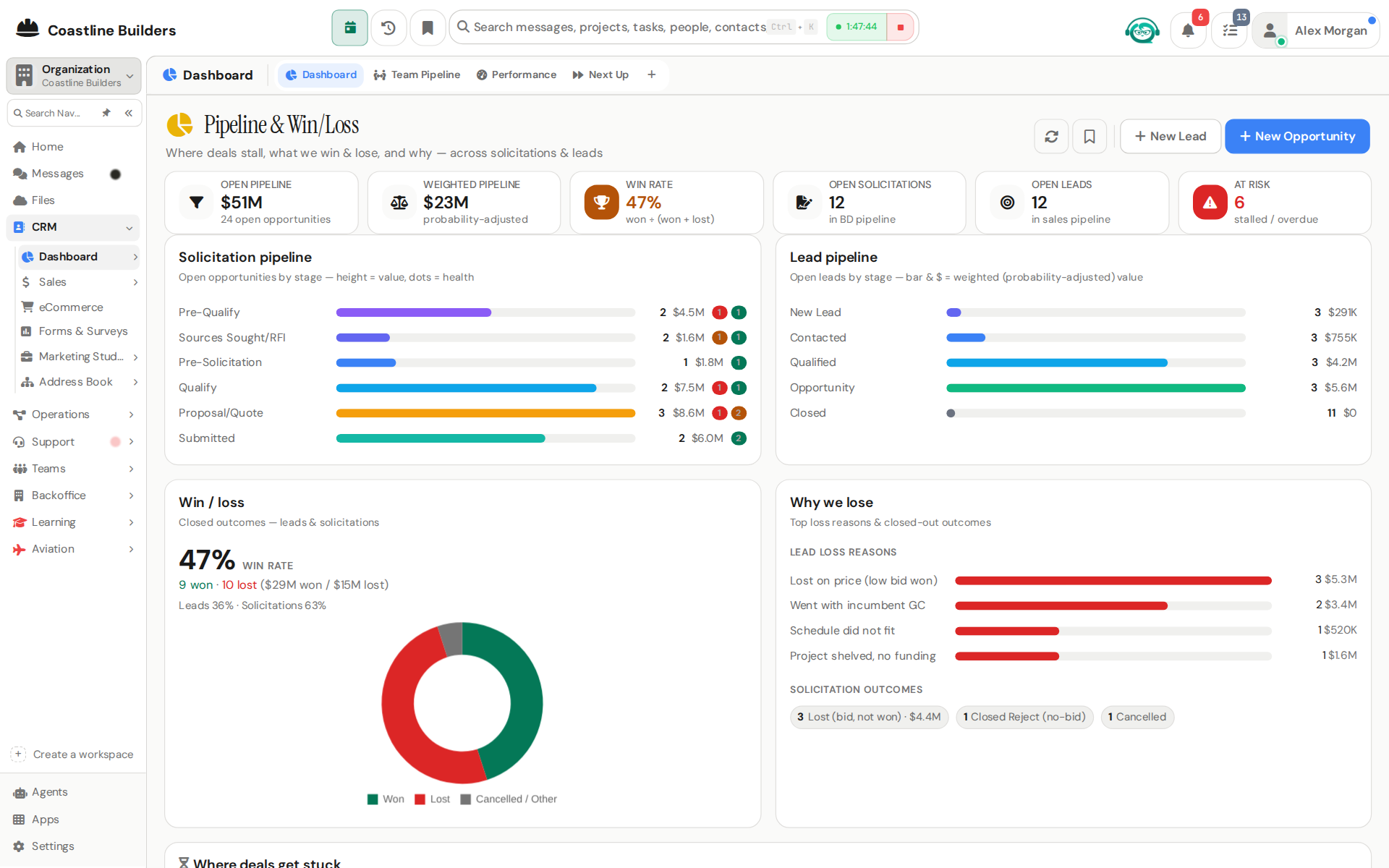
Lead Scoring
Automatic lead scoring rules and rankings.
Leads
Sales leads, capture, qualify, score, and convert.
Opportunities
Opportunity pipeline: track bids from first posting through Go/No-Go gates to award.
Reputation
Review requests and reputation monitoring.
Sales Performance
Your sales numbers against quota, and the team pipeline for managers.
Sales Team Settings
Team-wide sales targets, coaching, incentives, and scoring configuration.
Vendors
Vendor accounts, profiles, POs, bills, and RMAs in one place.
eCommerce
Product catalog and online orders, wired straight into fulfillment.
Operations 8
Projects, schedules, procurement, and inventory, connected to the deal that started them.
Fulfillment
The orders you ship to customers, fed automatically by paid online orders.
Inventory
Parts and stock catalog with quantities and locations.
Operations Dashboard
Operations overview, workload, throughput, and status across the org.
PO&AM
Planning board for organizing upcoming work.
Procurement
Purchase requests, BOMs, approvals, fabrication, and warehouse material issues.
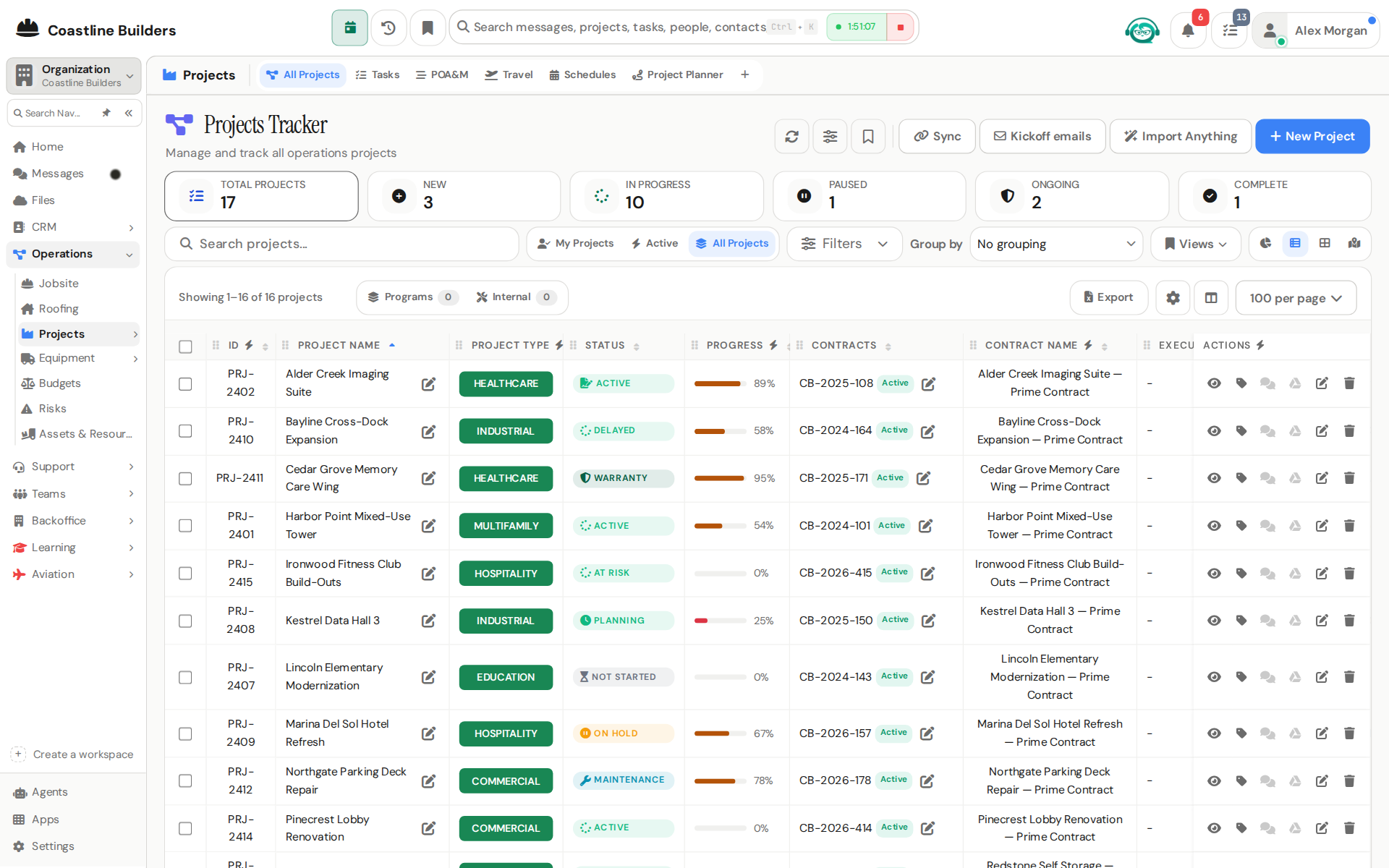
Projects & Tasks
Projects with tasks, milestones, budgets, files, and team assignments.
Risks
Project risk register, identify, score, and mitigate risks.
Schedules
Project schedules and timeline views.
Finance 11
Billing that starts from facts: what shipped, who approved it, what the contract says.
Bills
Vendor bills to pay, capture, approve, and schedule payment.
Cashflow Forecasting
Cashflow forecast, the org's most sensitive financial surface.
Contracts
Contracts and funding: terms, values, modifications, and assignments.
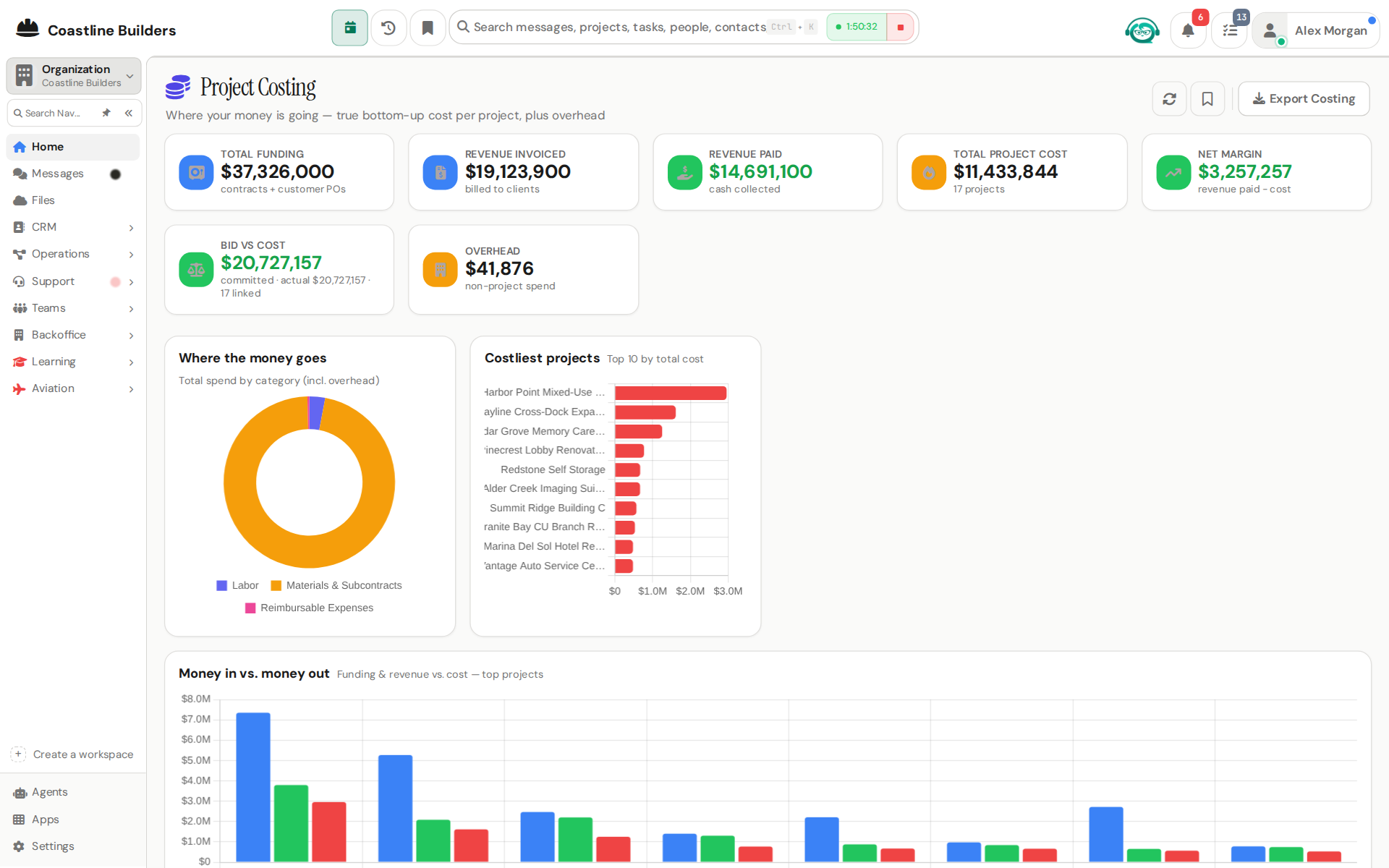
Costing
Company-wide margins: project costing and contract financials in one view.
Draw Requests (RFD)
Lender-facing contract draw packages with a point-in-time financial rollup.
Expenses
Expense reports, submit your own; approve your team's.
Finance Settings
Finance configuration, numbering, defaults, and approval rules.
Finance Templates
Document templates for invoices, POs, and contracts.
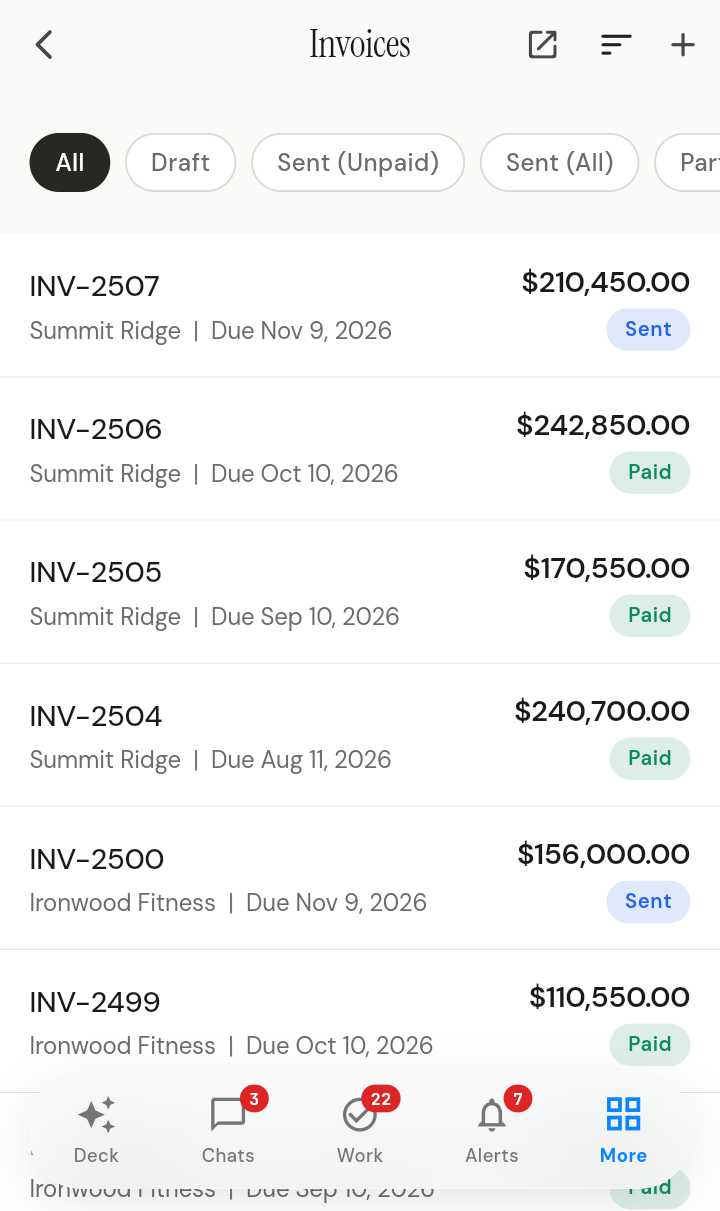
Invoices
Customer invoices, draft, approve, send, and track payment.
Payments Ledger
Money in and money out, one live, filterable ledger.
Purchase Orders
Outbound POs to vendors: draft, approve, send, track, and handle RMAs.
People & HR 10
Hours, time off, hiring, and the org chart, next to the work instead of in another tab.
HR Dashboard
Workforce overview, headcount, leave, and time metrics.
Hiring
Jobs, applicants, interviews, and offer approvals.
Leave / PTO
Time-off requests, approvals, and balances.
Onboarding
New-hire onboarding checklists; adoption tracking for leadership.
Org Chart
The reporting structure, visualized.
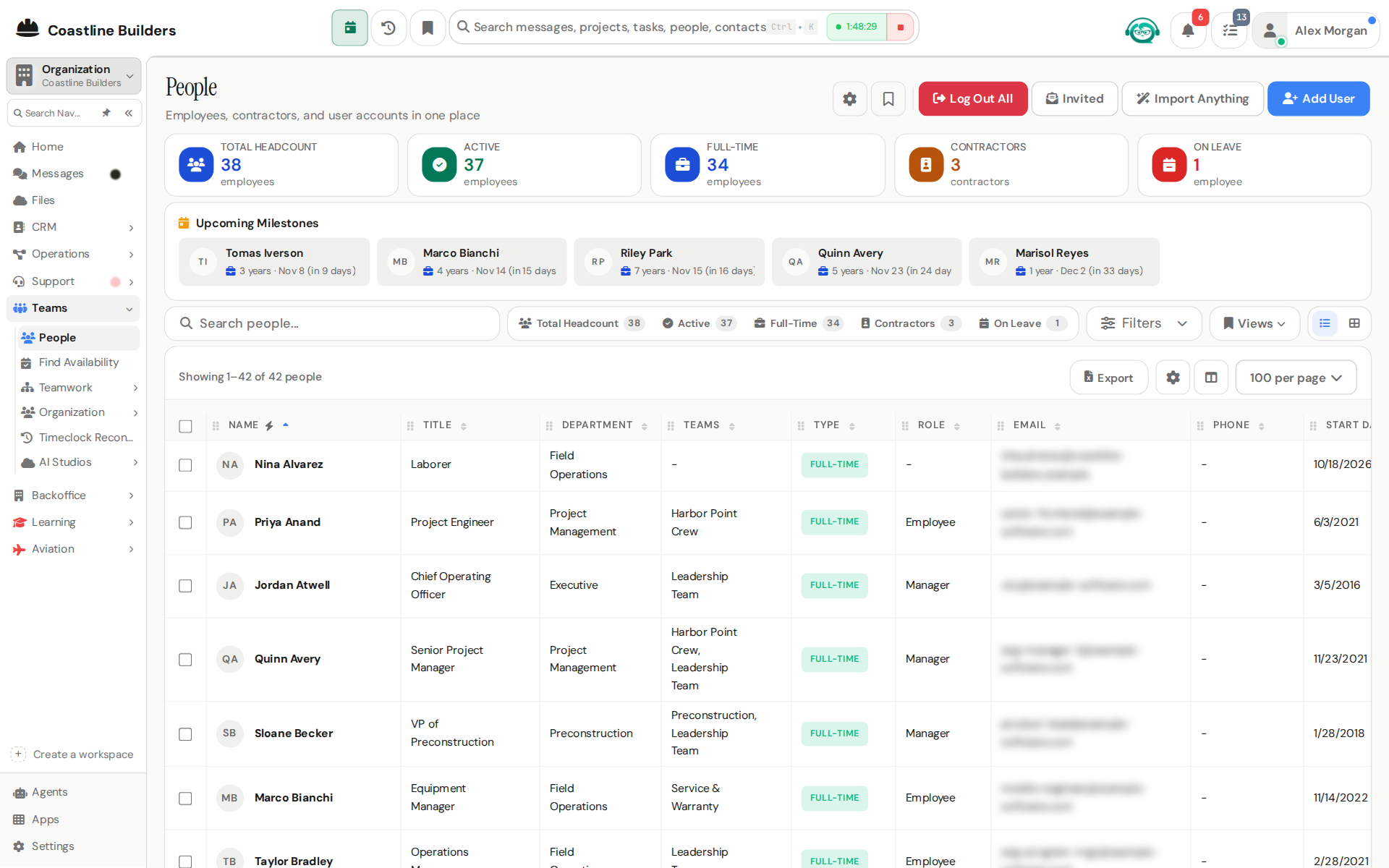
People Directory
The employee directory, profiles, departments, and reporting lines.
Policies
Company policies, read and acknowledge.
Profile
Your profile, preferences, and account settings.
Teams Directory
Every team as a card, who's on it, who leads it, and who is on no team at all.
Time & Attendance
Clock-ins, time entries, and timesheets.
Support 8
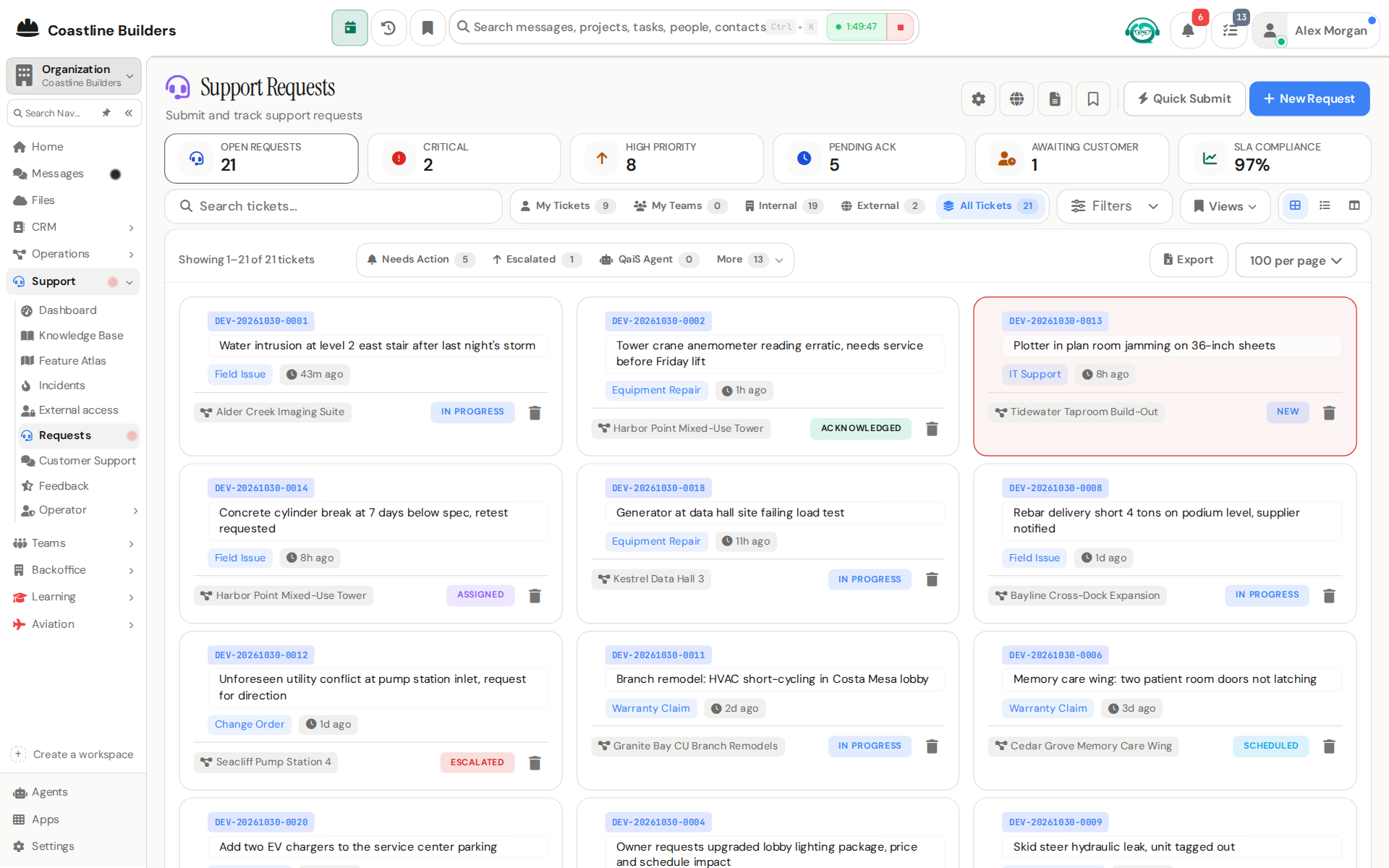
Tickets that open next to the customer’s projects, invoices, and history.
Escalation Board
Operator view of agent escalations and their resolutions.
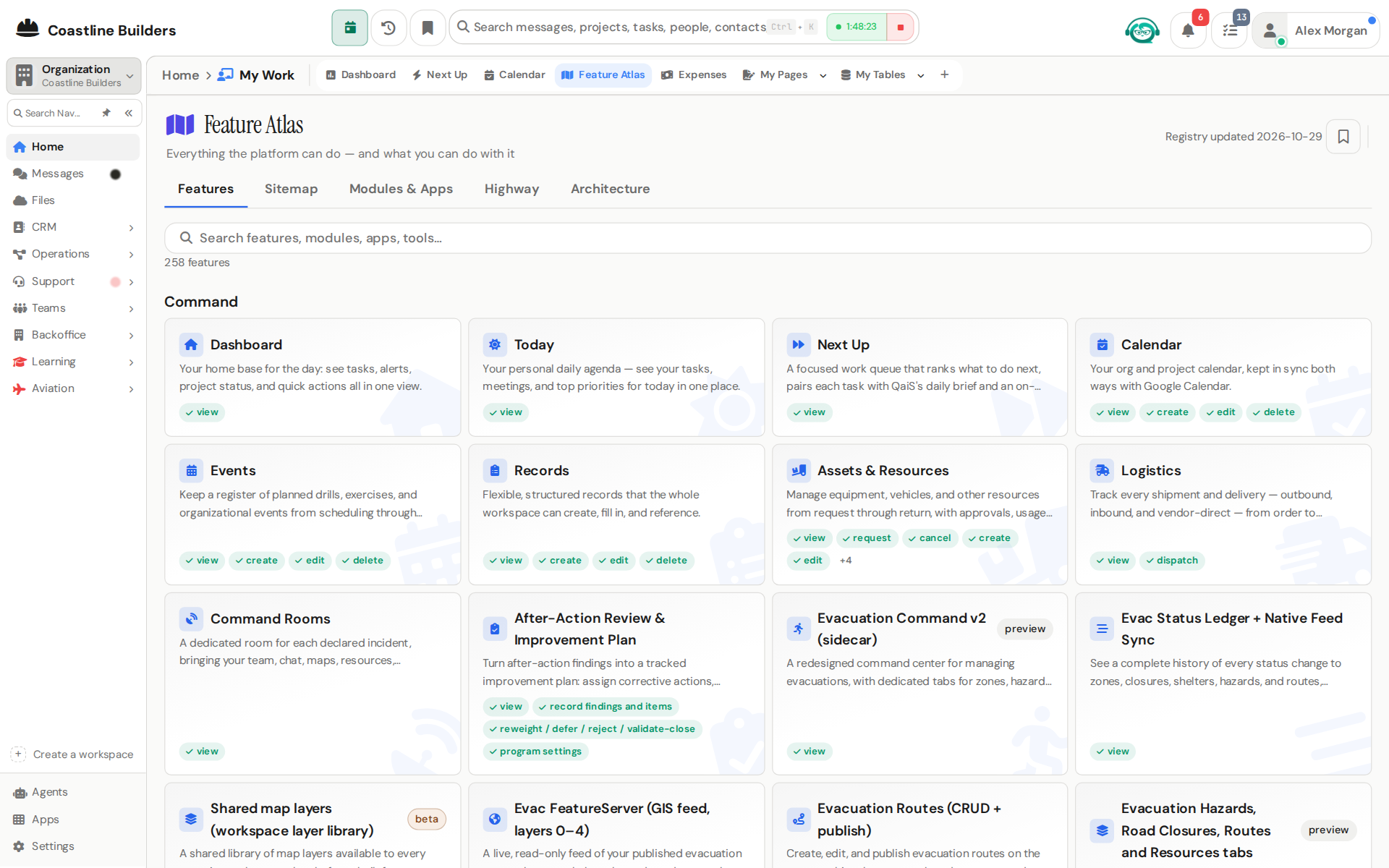
Feature Atlas
Every feature, module, app, and agent tool in the platform, with your own permission state.
Feedback
User feedback collection and review.
Incidents
Incident reports, log, track, and summarize.
Knowledge Base
KB articles, write, publish, and search workspace knowledge.
QRM Manager
The operator console for ticket queues, approvals, and tenant operations.
Requests
Support requests, submit, triage, and resolve.
Support Dashboard
Support metrics, volume, response times, and resolution rates.
Command 9
The home base: what to do next, for you and for the whole org.
Calendar
Org and project calendar with two-way Google Calendar sync.
Dashboard
Your home base, tasks, alerts, project status, and quick actions in one view.
Events
Register of planned drills, exercises, and organizational events, tracked from scheduled through completed.
Logistics
Outbound, inbound, and vendor-direct movement in one ledger.
Mission Rooms
Live incident rooms projecting core incident data for coordinated response.
Next Up
A ranked queue of what to do next, with guided work sessions.
Records
Structured, typed records the whole workspace can reference.
Resources & Assets
Asset management keystone, equipment, vehicles, and resources with lifecycle tracking.
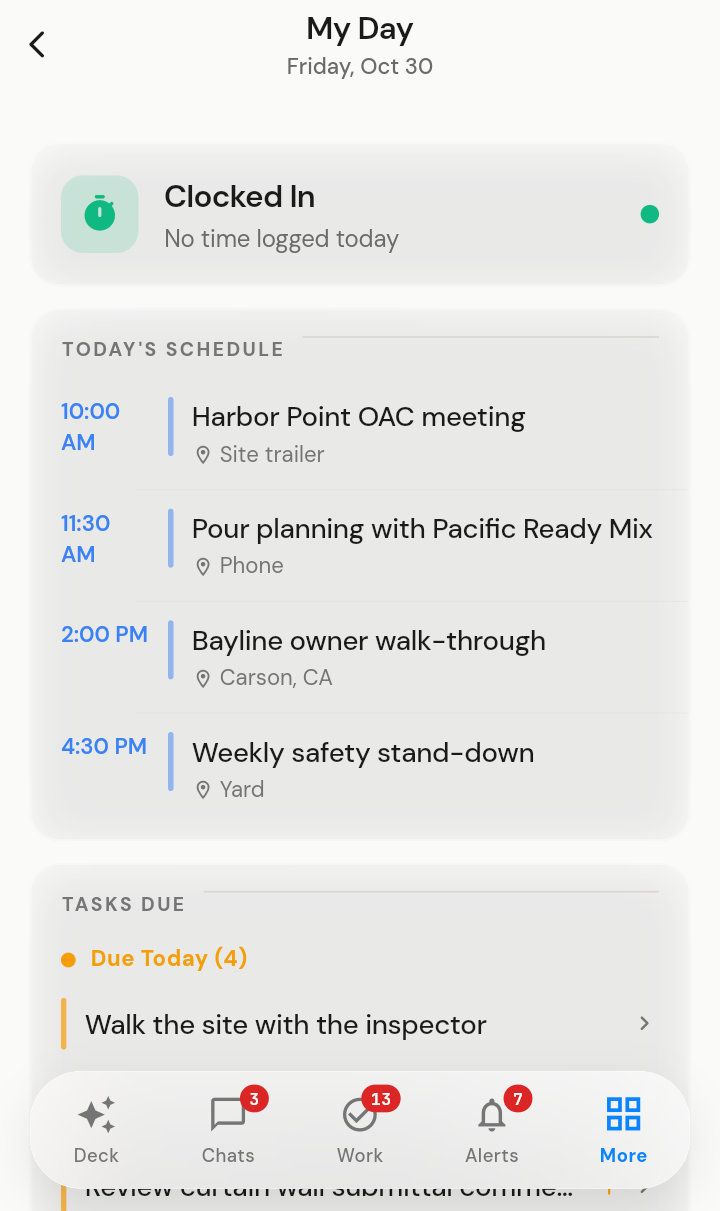
Today
A personal daily agenda: your tasks, meetings, and priorities for today.
Messaging 3
Team chat, threads, and email in the same place the work lives.
Channels & Messaging
Public and private channels, DMs, threads, mentions, and shared files.
Comments
Your personal comment-thread hub across every record type.
Email Inbox
Integrated email inbox inside the workspace.
Teams & Docs 6
Shared task lists, availability, recognition, and a full collaborative canvas suite.
Availability
Who's available when, soft-blocked availability across the team.
Q Coin Rewards
Team recognition and rewards, every user has a Q Coin wallet.
Qanvas (Docs, Decks, Pages, Sheets & Boards)BETA
Docs, decks, pages, sheets, and boards, one shell for five kinds of work.
Team Activities
The team activity feed, what everyone is working on.
Team Calendar
The team's shared schedule.
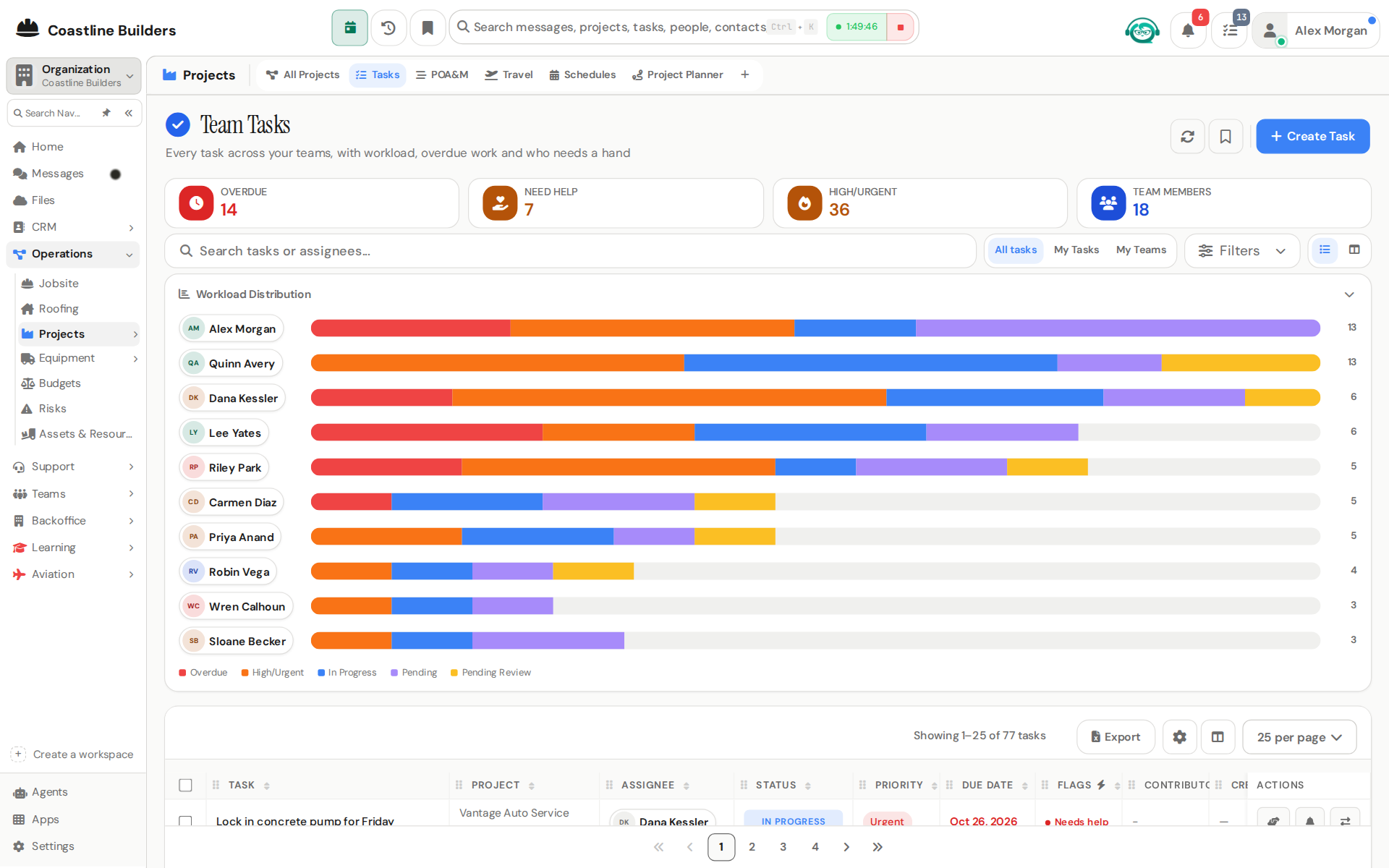
Team Tasks
Shared team task lists outside of projects.
Knowledge & Reporting 6
Files, reports, saved views, and a full audit trail.
Files
Shared files and documents with previews and access control.
History / Audit
The audit trail, who changed what, when.
My Tables
Personal saved table views over workspace data.
My Work
Private custom pages, dashboards, tables and reports designed with QaiS and Laila.
Reports
The report builder, query and export data across every entity.
Skills Studio
Author reusable AI skills for the workspace's agents.
AI & Agents 5
Agents with real tools, connected to your own AI clients when you want them.
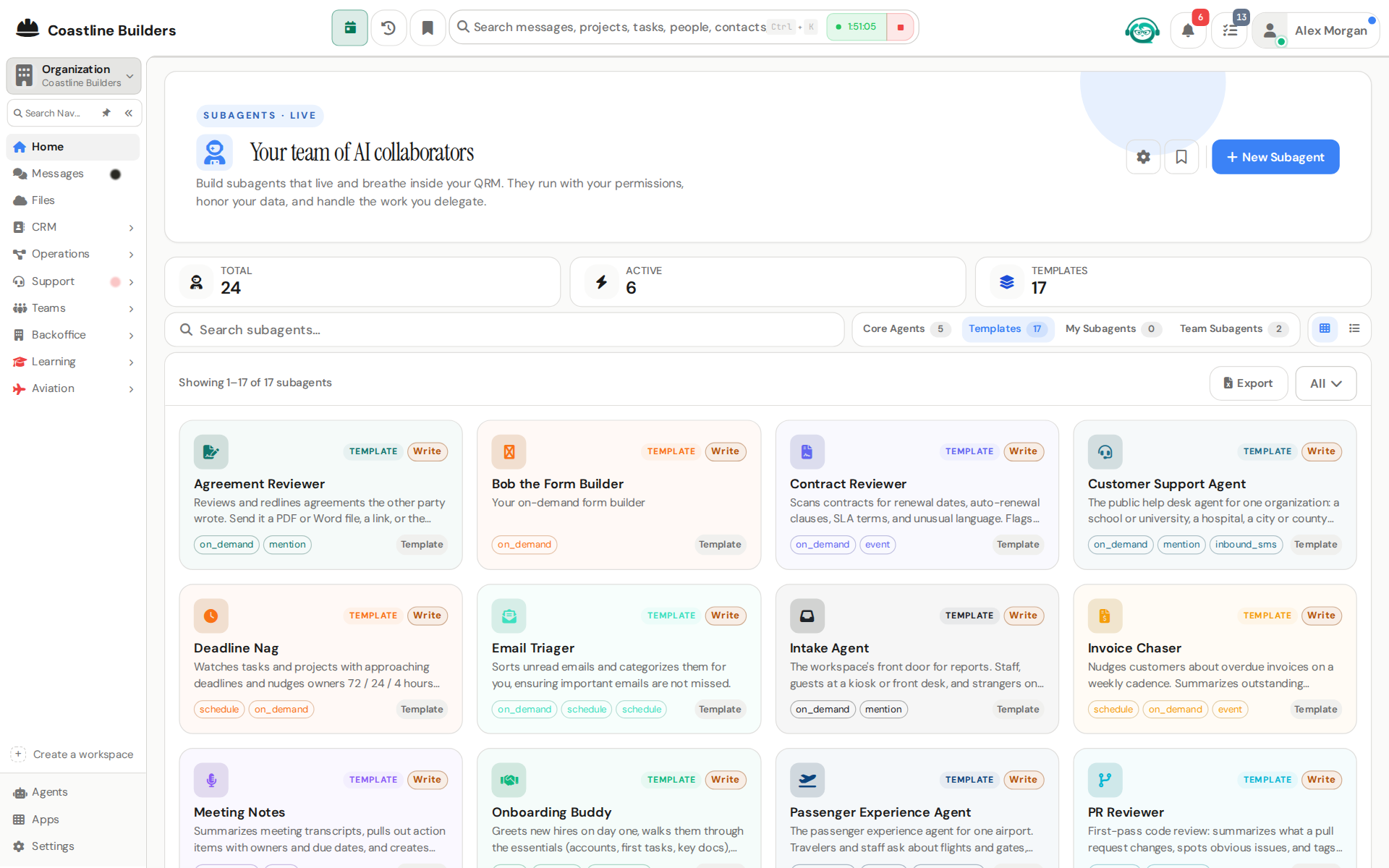
Assistant Mode & Personal AgentsBETA
Your personal agent screens every notification and only interrupts when it matters.
MCP Connector (personal AI clients)
Connect your personal AI client (Claude, ChatGPT, or Grok) to your workspace over MCP.
Grok Bot ConnectorNEW
Point Grok, or an always-on Grok Bot, at your workspace and it works here as you — approvals included.
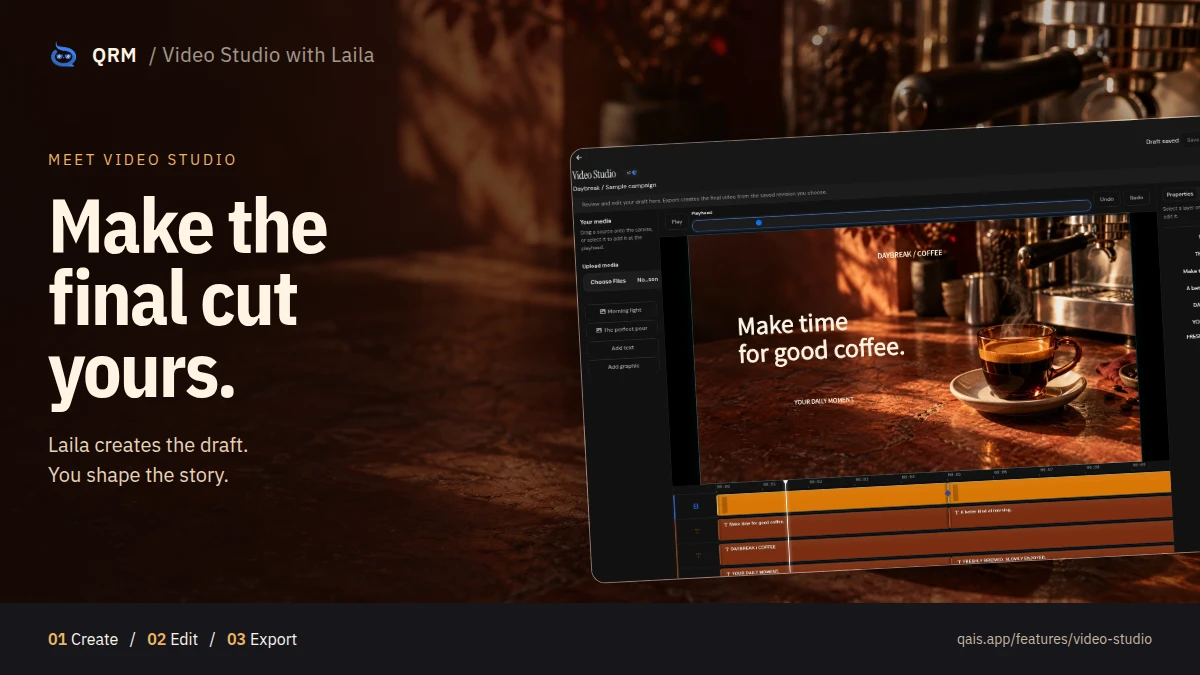
Video Studio with Laila
Create a draft with Laila, then edit b-roll, text, graphics, audio, and transitions before exporting the final video.
Workspace Glossary
Per-tenant term/acronym dictionary feeding AI search: queries containing a glossary acronym are expanded with its spelled-out.
Apps & Administration 16
80+ launchable apps, an agent marketplace, and the controls behind it all.
Agent Administration
AI agent configuration, LLM routing ops, and the knowledge index.
Agent Directory
The AI agent marketplace, browse and enable workspace agents.
Agent Program Telemetry
A closeout readout showing how the agent program is performing.
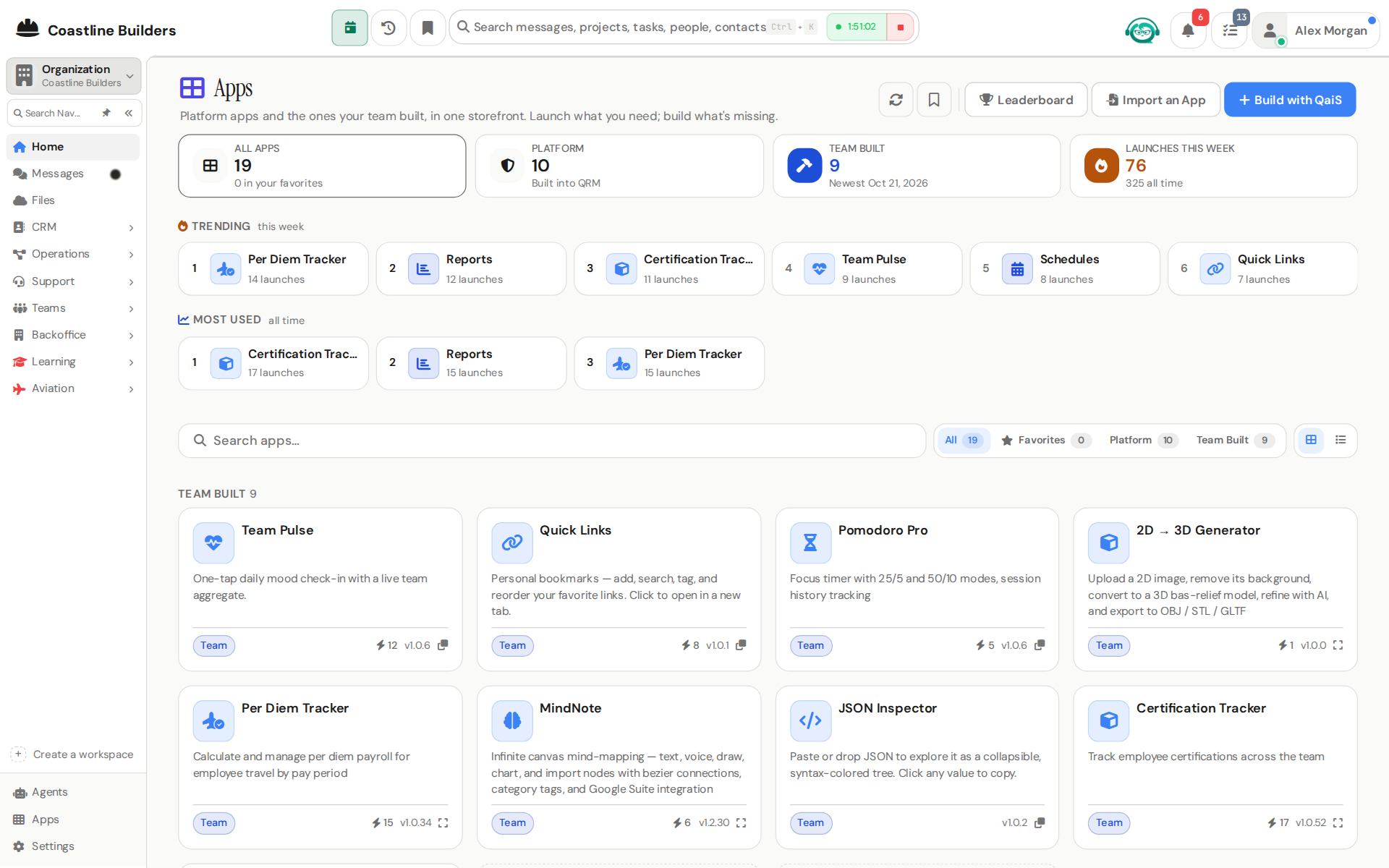
Apps
80+ first-party and custom-built mini apps, launchable from one place.
Content Moderation
Report objectionable messages, block abusive users (their content hides instantly), and review the report queue.
Fallback Hands (Operator Session)BETA
Ask for something an agent has no tool for, and it hands the job to an operator session.
Live Job Cards & Deep Research
Slow agent work runs in the background under a live card you can watch.
Overnight Tool Improvements
When a platform tool gets better overnight, your agents notice and put it to work.
Platform Administration
Tenant management, custom domains, defaults, and nav layout, control plane only.
Presenter Studio
AI video presenters for everyone: templates, workspace-shared, and your own private presenters; self-service avatar creation.
Recycle Bin
Restore soft-deleted tasks, projects, invoices, bills, POs, and PRs.
Settings
The consolidated settings hub, account for everyone; workspace/system panels per role.
Shared Mailboxes
Workspace-level company inbox connections (e.g.
Telephony
Workspace phone lines, your line, plus admin setup.
Usage & Analytics
Usage metrics, AI spend, and page analytics.
Watch Rules, Recipes & the Automation Review
Standing arrangements in a sentence: "when an invoice gets paid, tell me."
Client Portal 4
A clean, read-only window your customers can check without calling you.
Client Dashboards
A read-only, client-safe status view of a project in the customer portal.
Customer Chat
A live, real-time chatroom between a project's internal team and its linked portal customer, a per-project PM opt-in (default.
Portal Ask QaiS
A floating, portal-wide AI assistant for signed-in client-portal customers: answers project questions from the same.
Portal My Account
Self-service account management for signed-in portal customers.
Industry Packs 43
Deep modules for a specific line of work, switched on per workspace from settings. Each pack reads the same people, projects, invoices and agents as the rest of QRM.
Field Service & Trades 3
Jobs, crews and service calls on top of the projects you already run. Read the Field Service & Trades page.
Jobsite
Each job over its project: contract and milestone billing, the period-of-performance clock, crew, site, daily logs, punch list and change events. Dispatch board, work orders and service agreements for the service side.
Scheduling
Bookable services, resource availability, the appointment book, and a booking page customers use without an account.
Roofing
The roofer's storm and sales desk: last night's hail over every roof you know, measuring and Good, Better, Best proposals, claim supplements, crew weather, and an agent team that drafts the texts for you to send.
Emergency Management 10
The common operating picture, public alerts and the registry of who needs help first. Read the Emergency Management page.
Evacuation Command
Zone-based evacuation orders, drills, alerts and post-action records.
Signal Command
Siren and radio coverage planning: sites, devices, rendered coverage layers and GIS exports.
ThreatSense
One event feed for NWS, NOAA, IPAWS, XWeather and your own sensors, with the intelligence layer on top.
Fire & Flood
Fire-weather and flood forecasts from NWS, SPC, AHPS and the National Water Model, on your map.
RallyPoint
The public portal: residents and employees see published events, check in as safe, and get instructions.
Operations Center
Incidents, assets and published feeds in one room, with SiSA and SiRcom alerting.
Smart Alert
Smart Alert, the SiSA mass notification desk: text, voice, email and IPAWS alerts to the people inside a drawn area or a group, with templates, CAD automations and a full audit trail.
ICS Library
FEMA and NIMS ICS forms 201 through 225, filled and edited in the Forms builder.
Fortress
Who is here and are they OK: rosters for shelters, activations, shifts and event days.
Continuity
Learn how the organization runs, exercise the plan, and keep critical functions up through a disruption.
At-Risk Registry 1
Agencies keep each person's record, battery visits and search response in one place.
At-Risk Registry
People at risk of wandering who wear a transmitter: records, battery logs and search response.
Medical & Care Management 14
Care management and reimbursement for practices running CCM, RPM, PCM, BHI and TCM programs. Read the Medical & Care Management page.
Practices & Providers
Practice setup, the provider roster, enabled programs and revenue share.
Patients
Patient registry and enrollment, from new to enrolled, with conditions and programs.
Care Plans
Care plans drafted, submitted and approved with provider review.
Care Management
The daily loop: tasks, escalations and RPM readings per practice.
Clinical Charting
SOAP and encounter notes drafted by QaiS from the visit, with vitals pulled in and billing codes suggested.
Appointments
Appointments linked to patients and practices, with telehealth join built in.
Protocols
Wellness protocols for nutrition, supplements, movement and lifestyle, assigned with adherence tracking.
Conditions Library
Chronic-condition catalog and the question sets that drive care plans and daily check-ins.
Billing
Time tracking and the CPT billing ledger, from in progress to billed.
Payments
Primary and secondary payer reconciliation per CPT, with balances.
Analytics
Patient, billing and revenue analytics across practices.
Executive
Group P&L with per-site drill-down, plus spend requests with recoup time and deadlines.
Patient Portal
Patients see their next appointment, today’s plan, recent vitals, messages and forms.
Content Library
The practice's own patient education, food plans and recipes, drafted from its sources, approved by a clinician, and filtered by each patient's avoid list.
Safety & Compliance 5
Hazards, training, badges, inspections and permits for any industry that gets audited.
Safety Management
Hazard reports, 5x5 risk assessment, the risk register and corrective actions.
Training & Certifications
A course and credential catalog with per-person records and automatic expiry tracking.
Credentials & Access
Badges, keycards, PIV cards, system accounts and keys through their whole lifecycle.
Inspections
Reusable checklists, scheduled inspections, findings and corrective actions.
Environmental Compliance
Permits and obligations for air, stormwater, SPCC, RCRA and Title V, with renewals tracked.
Aviation 3
Airfield operations and FAA compliance for airports and their tenants.
Airfield Operations
The daily airfield log, runway condition (RCAM) reporting, and gate and RON management.
Aviation Compliance
FAA citations and notices of violation, with Part 139 self-inspections on the shared Inspections engine.
Safety Programs
ARFF readiness, the FOD program and wildlife hazard management.
Business Operations 3
Agreements, performance evidence and readiness for companies without a back office. Read the Business Operations page.
Agreements
Draft, approve, sign and follow through on agreements without in-house counsel.
Team Performance
Performance evidence from tasks, requests, time, reviews and training, each linked to its source.
Readiness Copilot
An intake that reads your workspace, a cited requirements catalog, and the certifications that open new markets.
Scheduling & Booking 1
Bookable services and a public booking page for any business that takes appointments.
Scheduling
Bookable services, resource availability, the appointment book, and a booking page customers use without an account.
Education 1
Courses, cohorts and certificates for schools and training providers. Read the Education page.
University
Author courses, run paid cohorts with outside students and professors, grade, and certify.
Marketing & Branding 1
Campaigns, brand assets, ads and attribution for in-house teams and studios.
Marketing & Branding
Campaigns across email, SMS, social, web, paid and events; brand assets, ads, web analytics and attribution.
Sales & CRM 1
Coaching from real calls, scored against your own rubric.
Sales Training
Paste a call transcript, score it against your weighted rubric, and get one coaching focus.
Accounting 1
A double-entry general ledger beside the invoices and bills you already send.
Accounting EARLY ACCESS
Double-entry ledger, bank reconciliation, period close, and the balance sheet, P&L and cash-flow statements.
Platform 2
The shared machinery every screen is built on.
Floating Nav Windows
Open any screen as a draggable, resizable floating window over your current one.
Unified Tables & Queue Rails
Every list screen shares one queue-rail system with live cascading counts.
See it with your own data.
Open a free workspace and import a spreadsheet. An agent maps it while you watch.
FREE PLAN · NO CREDIT CARD · START ONLINE