 QRM
QRMDon't just chat with AI.
Build with it.
Every QRM workspace ships with builders: an agent workforce you can extend, an app builder you talk to, automations written in plain sentences, and a video pipeline. All of it works inside your active workspace, with supported agent activity recorded for review.
EVERY PLAN INCLUDES THE AI LAYER · FREE: 50 ACTIONS A DAY
An agent workforce you can extend.
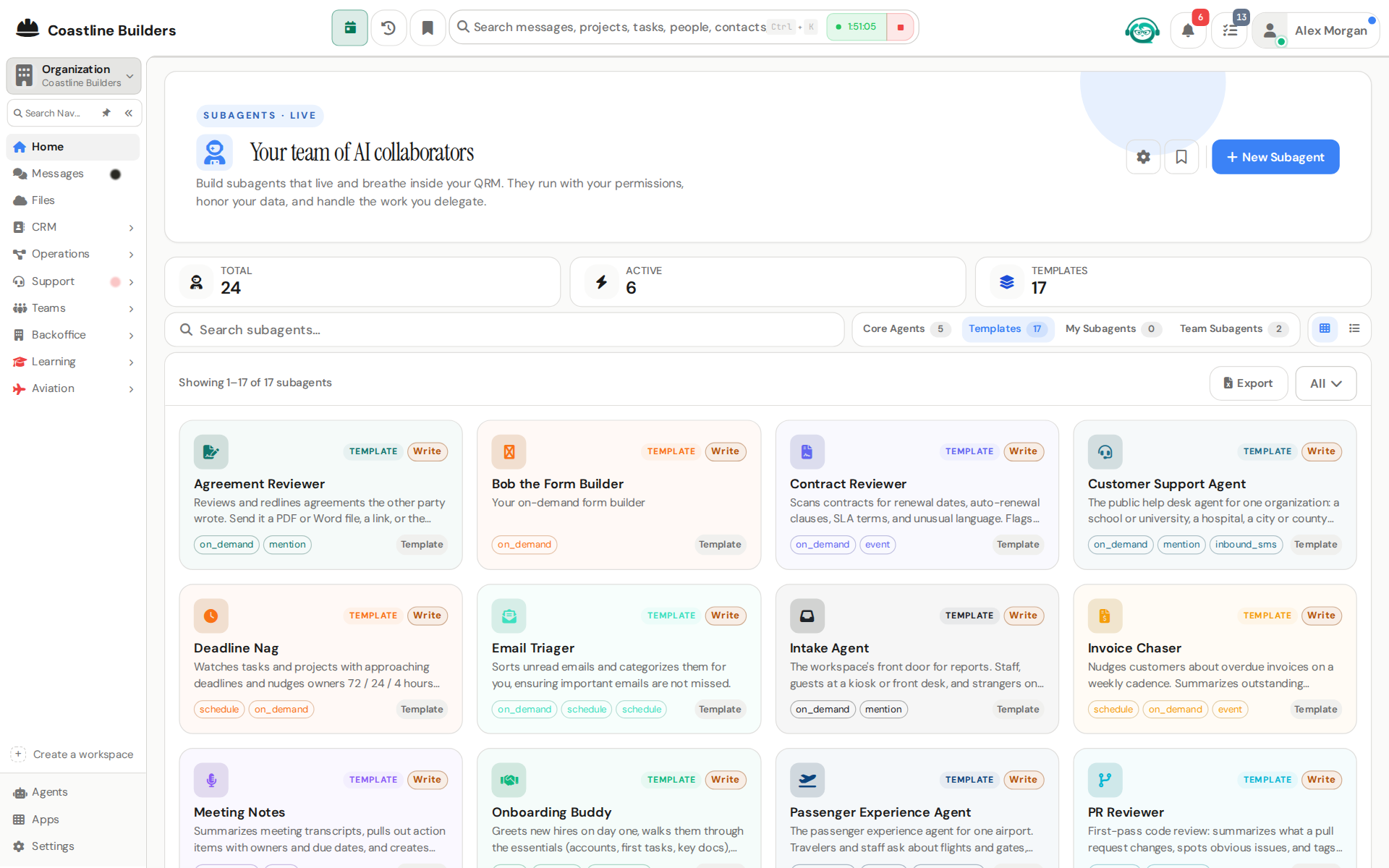
Four core agents come standing: QaiS runs the workspace, Laila makes your media, Qlara teaches, and Qrustie works your inbound. Then you build subagents of your own, from templates or from scratch.
- Your permissions: subagents run as you, never above you
- Templates: start from a working example and edit
- Marketplace: enable specialist agents per workspace
An app builder you talk to. BETA
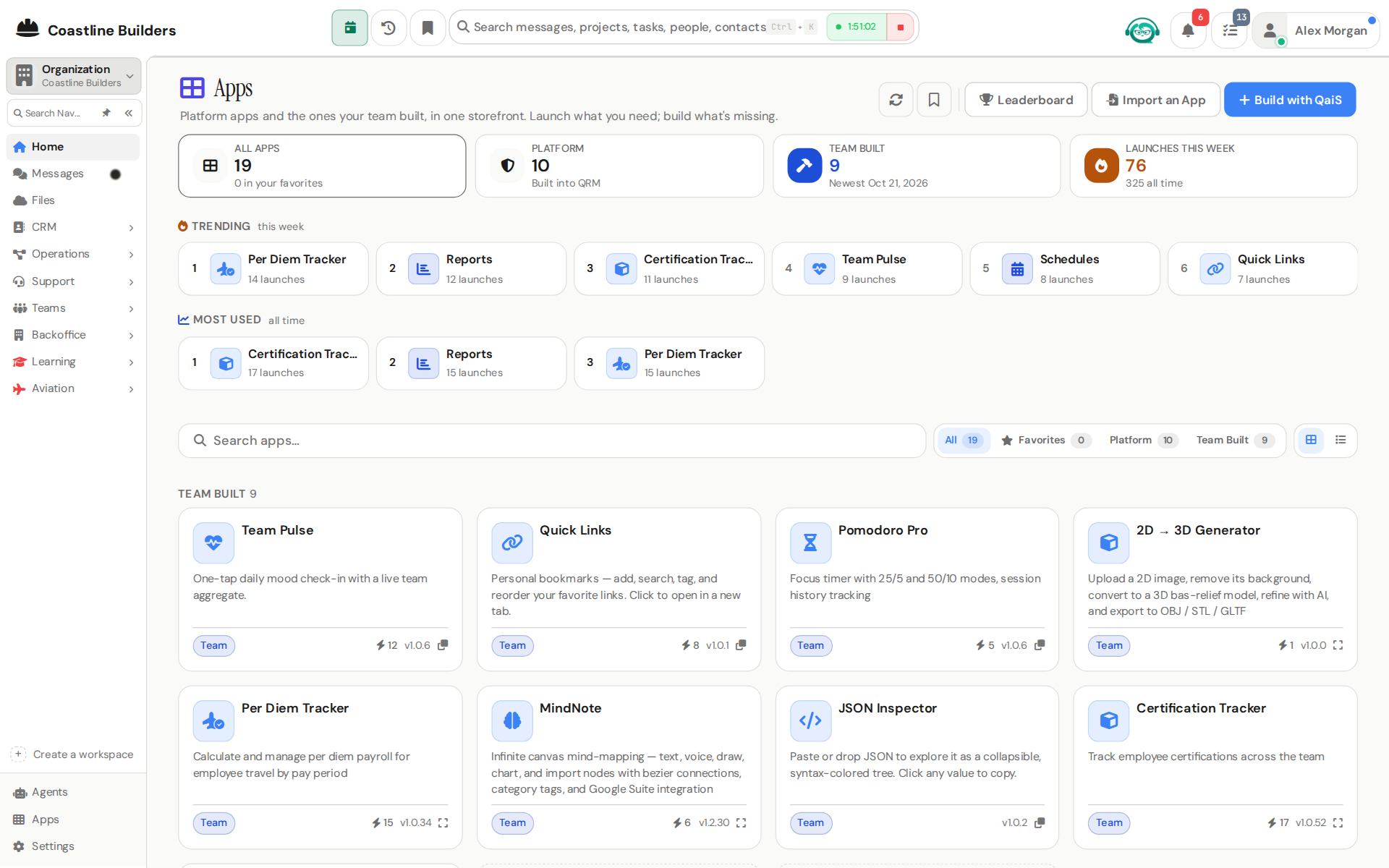
Describe the tool your team is missing and QaiS scaffolds it inside the same workspace: tables, screens, forms, and automations. Your team already builds this way: certification trackers, per-diem calculators, audit log viewers.
- Live in your tenant: no separate deploy, works on web and mobile
- Real apps: 80+ first-party and team-built apps launch from one place
- Import: bring an existing tool in and let an agent map it
Automations you write in a sentence.
Automation Studio builds QaiS-native workflows: a trigger, then steps the agent reasons through. And for the everyday cases you don't need a builder at all, just tell an agent the arrangement and it stands watch.
- Watch rules: "when an invoice gets paid, tell me"
- If-this-then-that: steps can create tasks, tickets, and records
- Approval floors: high-impact steps wait for a human yes
Teach every agent your way of working.
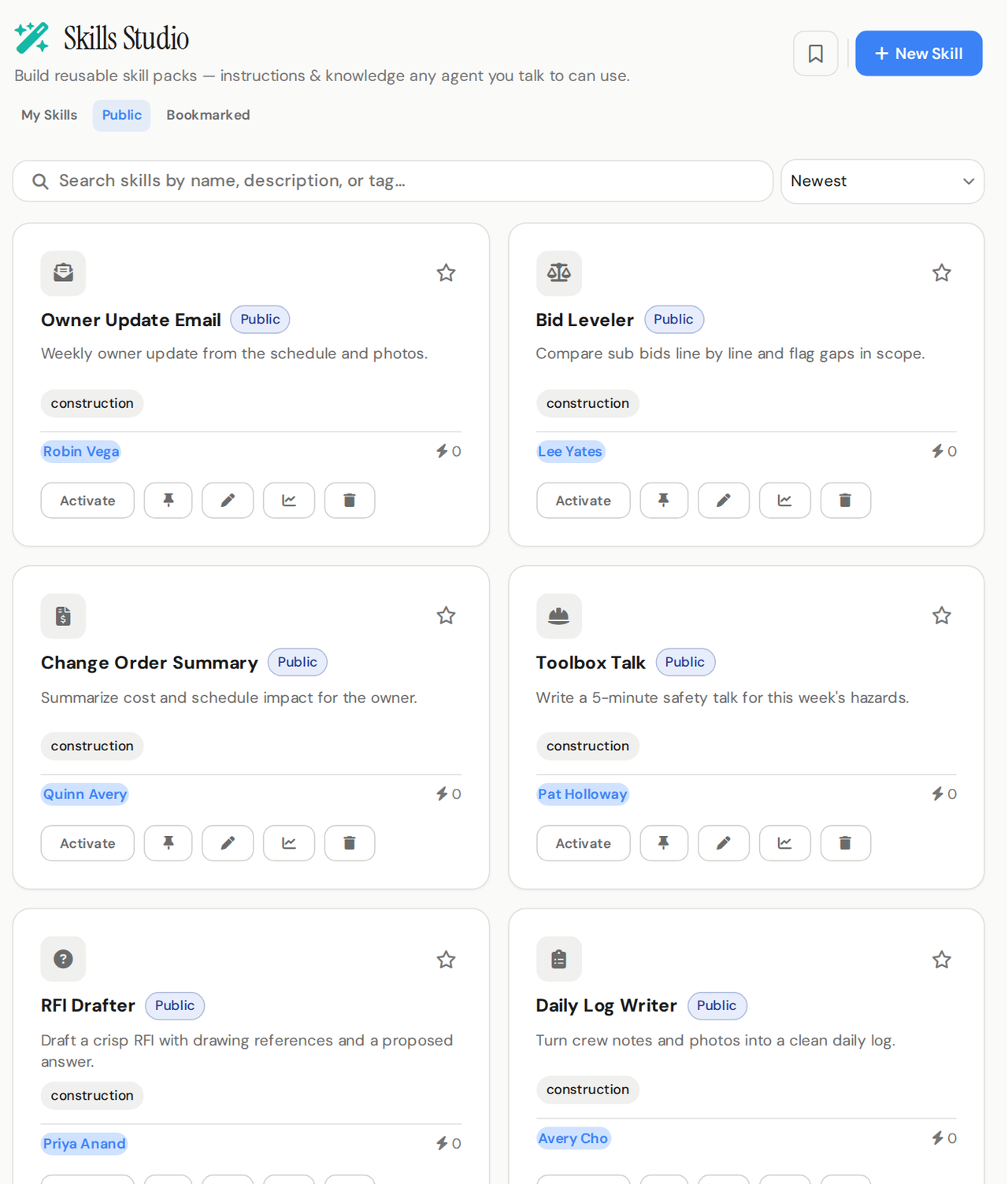
Skills Studio turns your instructions into reusable packs any agent you talk to can follow: how you like summaries written, how bug reports get structured, what a clean email looks like. Write one, pin it, and every conversation benefits.
- Starter pack: public skills ready to activate as-is
- Pin up to 5 to any agent you talk to
- Share: publish skills for the whole workspace
A creative team with 1,400 years of experience.
Laila writes, renders, and cuts short-form video from a prompt: product reels, training clips, personalized outreach. Presenter Studio adds AI presenters, including your own likeness if you cast it. Both reels on our homepage came out of this pipeline.
- Text and image to video, narrated or captioned
- Presenter Studio: workspace-shared and private presenters
- Yours to use: the same pipeline ships with every workspace
Exact answers from your files.
When a question needs exact math across many rows, an agent writes and runs a small script instead of estimating: totals, pivots, reconciling one file against another, cleaning a list, checking an import. You get the answer and a CSV or Excel file back. Scripts run in workspaces that turn them on.
- 600+ tools in 22 toolsets: the agent picks the toolsets first, then the tool
- Reads what you upload: PDF, Word, Excel, PowerPoint, CSV and text
- Ticket screenshots: triage reads the screenshot attached to a support ticket
Bring your own AI. Bring your old data.
Your personal AI client, connected
Point Claude or any MCP client at your workspace and work your own data from the outside, with your permissions.
Spreadsheets in, structure out
Drop exports from your old tools and an agent maps the columns while you watch. You approve before anything is written.
An agent screening your noise
Your personal agent scores every notification and only interrupts when it matters. Everything else waits politely.
Agents leave a paper trail and escalate to a human when they shouldn't act alone. Details on the trust page.
Put the builders to work.
Open a free workspace and ask QaiS to build something before lunch.
FREE PLAN · NO CREDIT CARD · START ONLINE